For CrossFit boxes
A community that holds its own spot
Members book their own spots in the app, and TimeNow automatically assigns released spots to the first person on the waiting list. Memberships and bookings stay easy to track, with no paper lists at reception or manual follow-ups.

- classes run on a TimeNow timetable
- 3,900+
- clients who have booked 10 times or more
- 340+
- studio policies signed digitally, no paper
- 320+
Build the timetable once
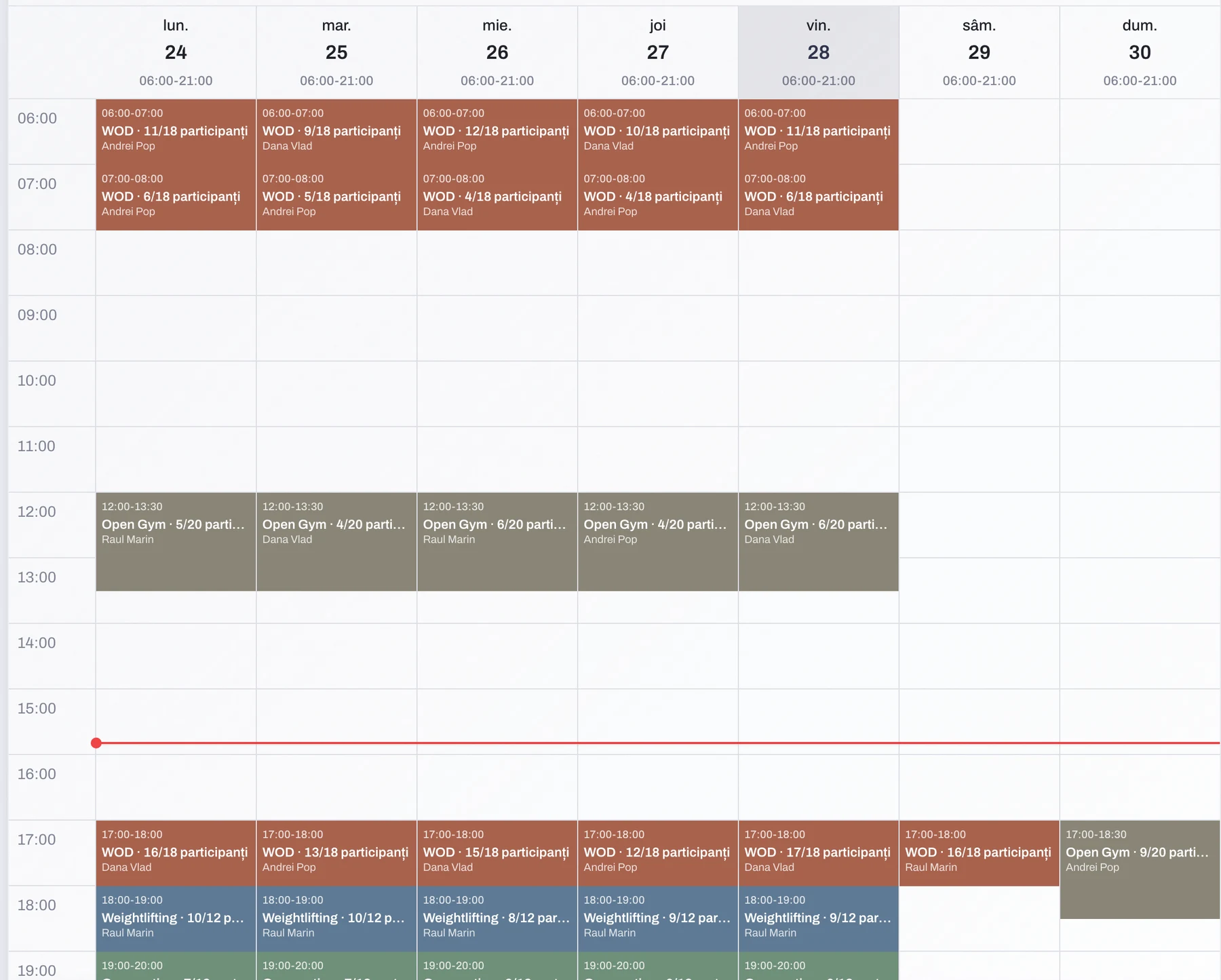
Set the classes that repeat and the sessions generate themselves. Change or cancel individual ones without disturbing the rest of the week.
- A recurring schedule for the whole week
- Limited spots and a waiting list
- Several coaches, each with their own calendar
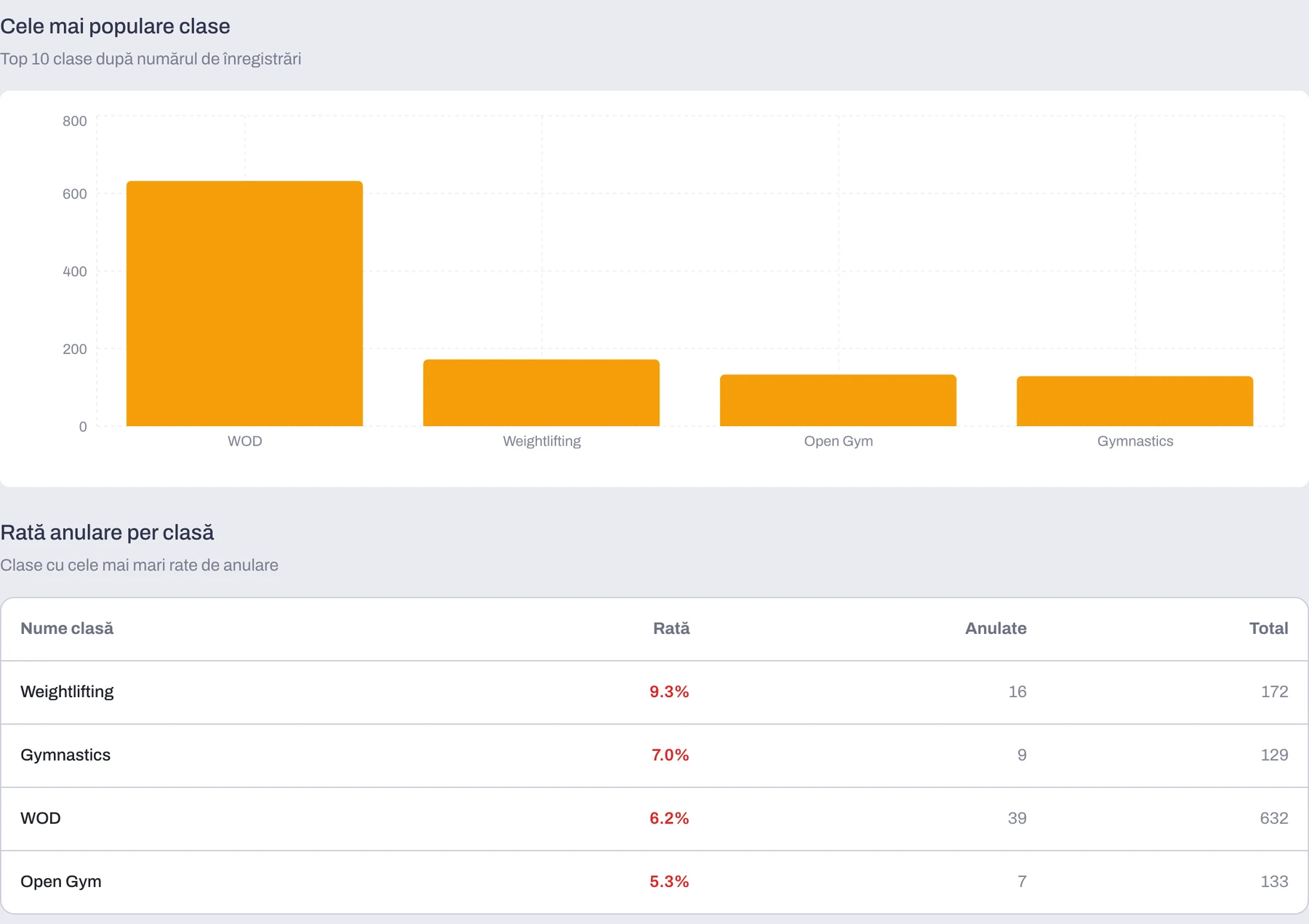
See which classes have the highest attendance and which have lower attendance
The report compares registrations and cancellation rates for every class type. You can quickly see which classes attract the most members and where attendance is lower.
- Registrations for every class type
- Cancellation rate for every class type
- Classes ranked by attendance
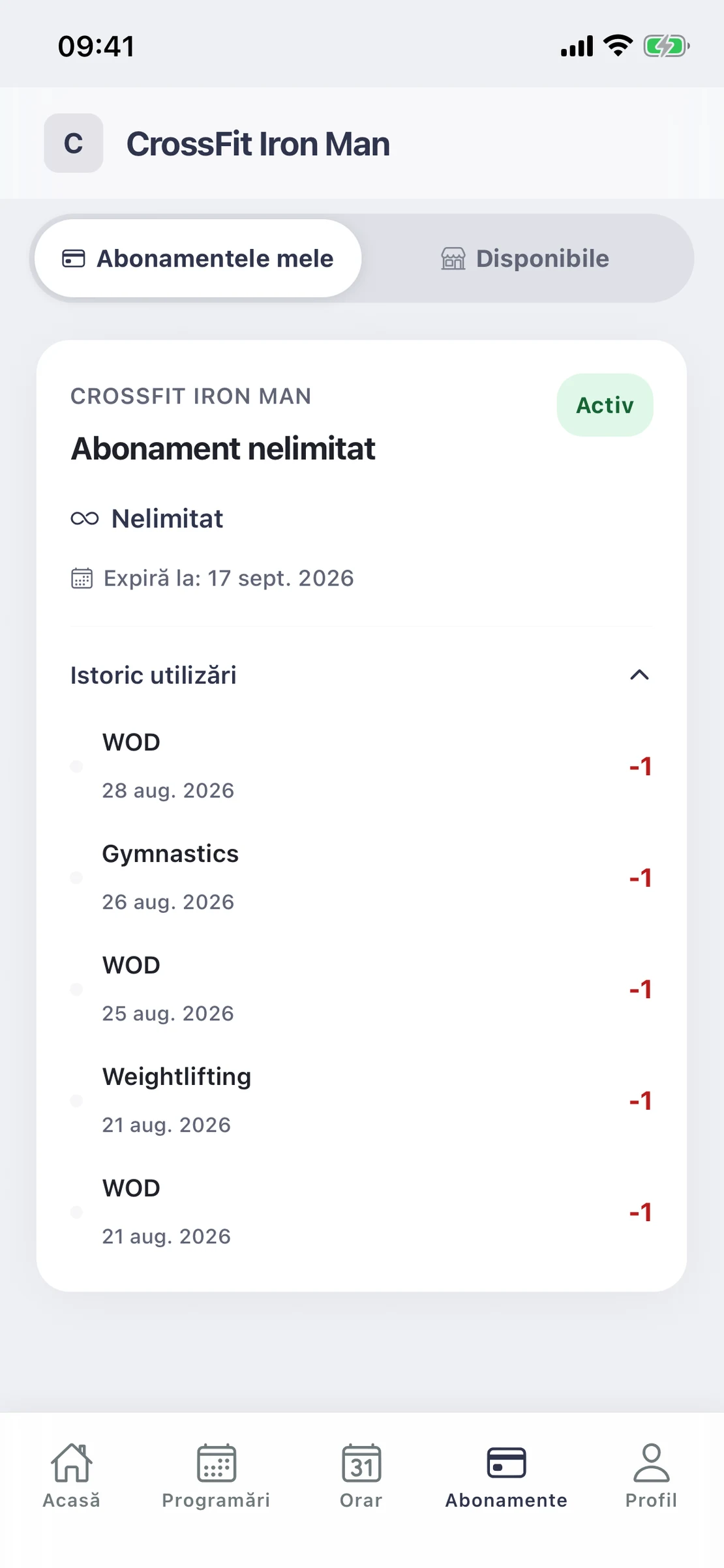
Customizable memberships for every scenario
Create session-based or unlimited memberships and set the validity of each type separately. Members see the membership type, expiry date and training history in the app, so they know when renewal is due.
- Session-based or unlimited memberships
- Validity configured separately for each type
- Status, expiry and history available in the app
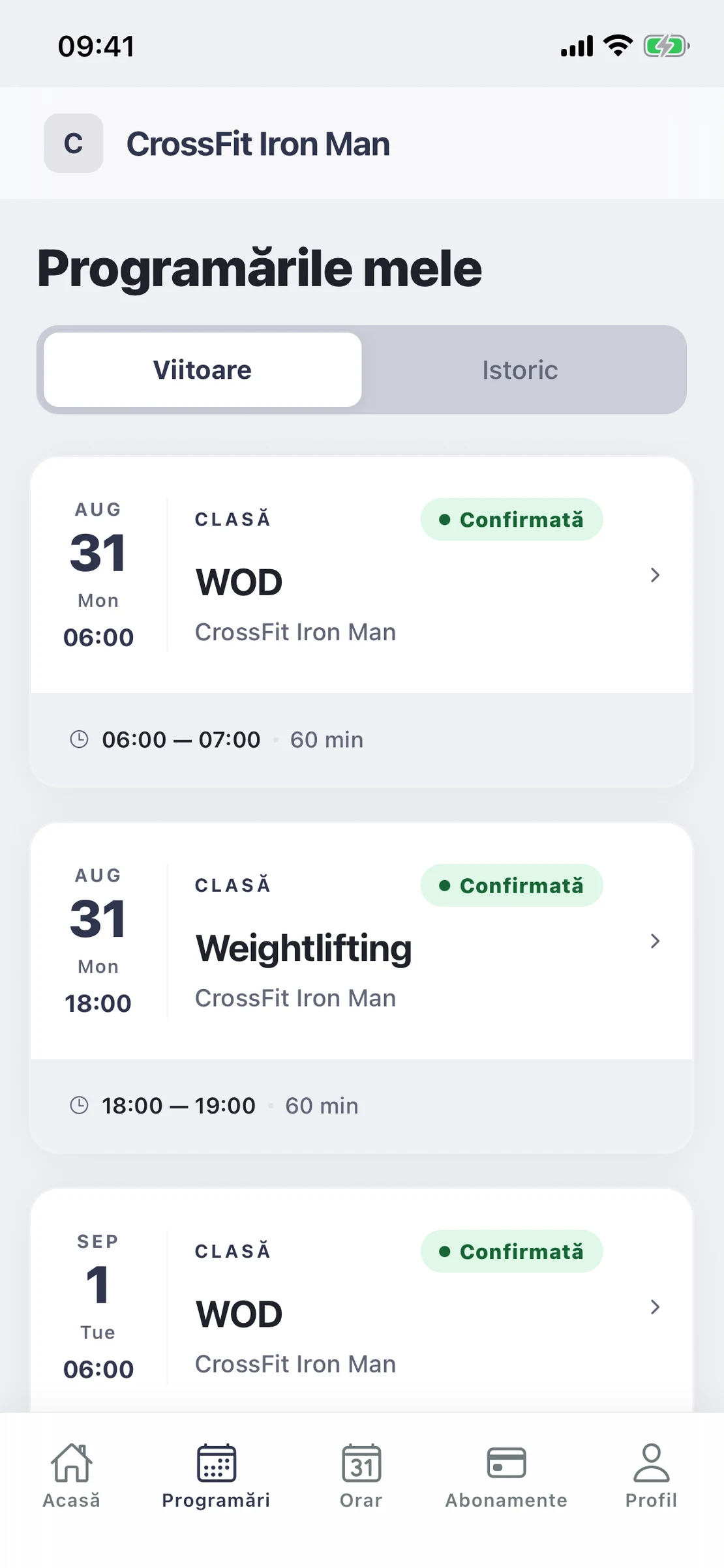
A whole week booked from the phone
Members can book several morning or evening classes at once. The app shows all their upcoming bookings, and if someone cancels a full class, the newly available spot goes automatically to the first person on the waiting list.
- Several sessions booked in one sitting
- Every upcoming class, with the day and the time
- She cancels in the app, and the place moves on
Everything that keeps a box full
- BookFrom the app, in two taps
- ReassignReleased spots go automatically to the first person on the waiting list
- TrackAttendance and memberships, automatically
- KeepSpot who is drifting, before they leave
Where are you starting from?
Opening a new box
We build your timetable, membership types and member app before your first WOD. The first month is free, from the day you actually open.
Start from scratchComing from another system
We import your members and their active memberships, so nobody is locked out on day one.
Move without losing anythingCommon questions
- Can members book from the app?
- Yes. Members book their spot, cancel it and check their membership from the mobile app, without going through the front desk. The member app is included in your plan at no extra cost.
- Can I set a recurring schedule for the whole week?
- Yes. You build the timetable once with your repeating classes and the sessions generate themselves. Individual sessions can be changed or cancelled without disturbing the rest.
- I have over a thousand members on file. What do I pay?
- Pricing is based on active clients in a month — the ones with at least one booking — not on your whole database. Inactive members are not counted at all.
- Can I sell memberships online?
- Yes. You can sell session-based or unlimited memberships, paid online or at the gym. Online payments are included in your plan, with no separate commission from us.
- How does the waiting list work?
- When someone cancels, the spot goes automatically to the first person on the list and they are notified. Nobody has to track by hand who takes whose place.
See what it looks like for your box
In 20 minutes we will show you how it works with your timetable and your memberships.