For Pilates studios
Online booking for your Pilates studio
Online booking software built for Pilates and Reformer studios: classes that fill themselves, memberships that keep their own count, and an experience clients remember. You teach — the rest runs itself.

- classes run on a TimeNow timetable
- 3,900+
- clients who have booked 10 times or more
- 340+
- studio policies signed digitally, no paper
- 320+
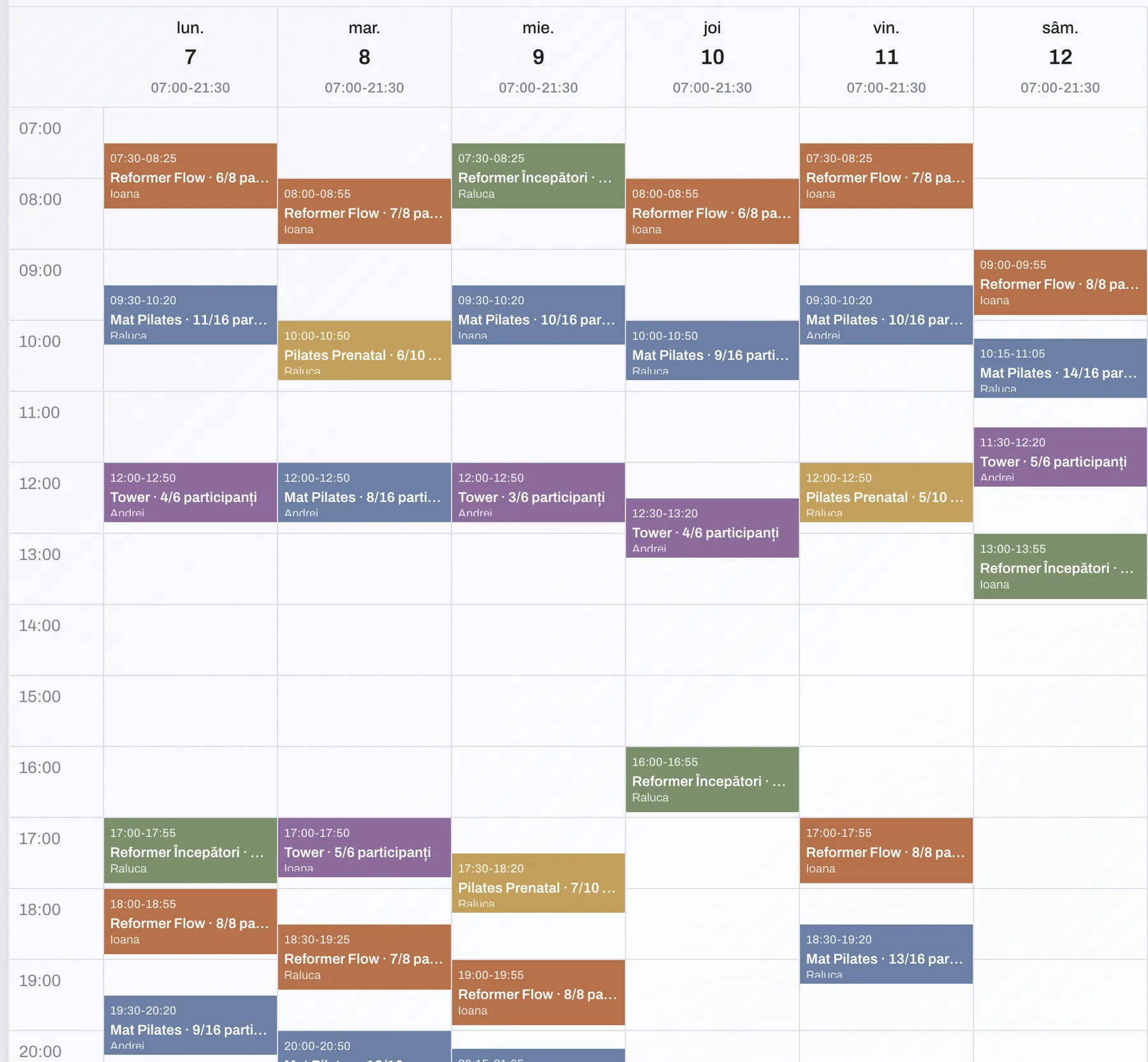
Never sell more spots than you have reformers
Spot count is set per class, not per studio: eight on Reformer, sixteen on Mat, six on Tower. When the spots are gone, the next clients put themselves on the waiting list. If someone cancels, TimeNow confirms the first person on it and sends the notification — no more hunting for a replacement by text an hour before class. You build the recurring timetable once and it repeats every week.
- Spots capped per class, not per studio
- The waiting list confirms the next client automatically
- A recurring timetable, built once
Eight sessions, sixty days. They count themselves
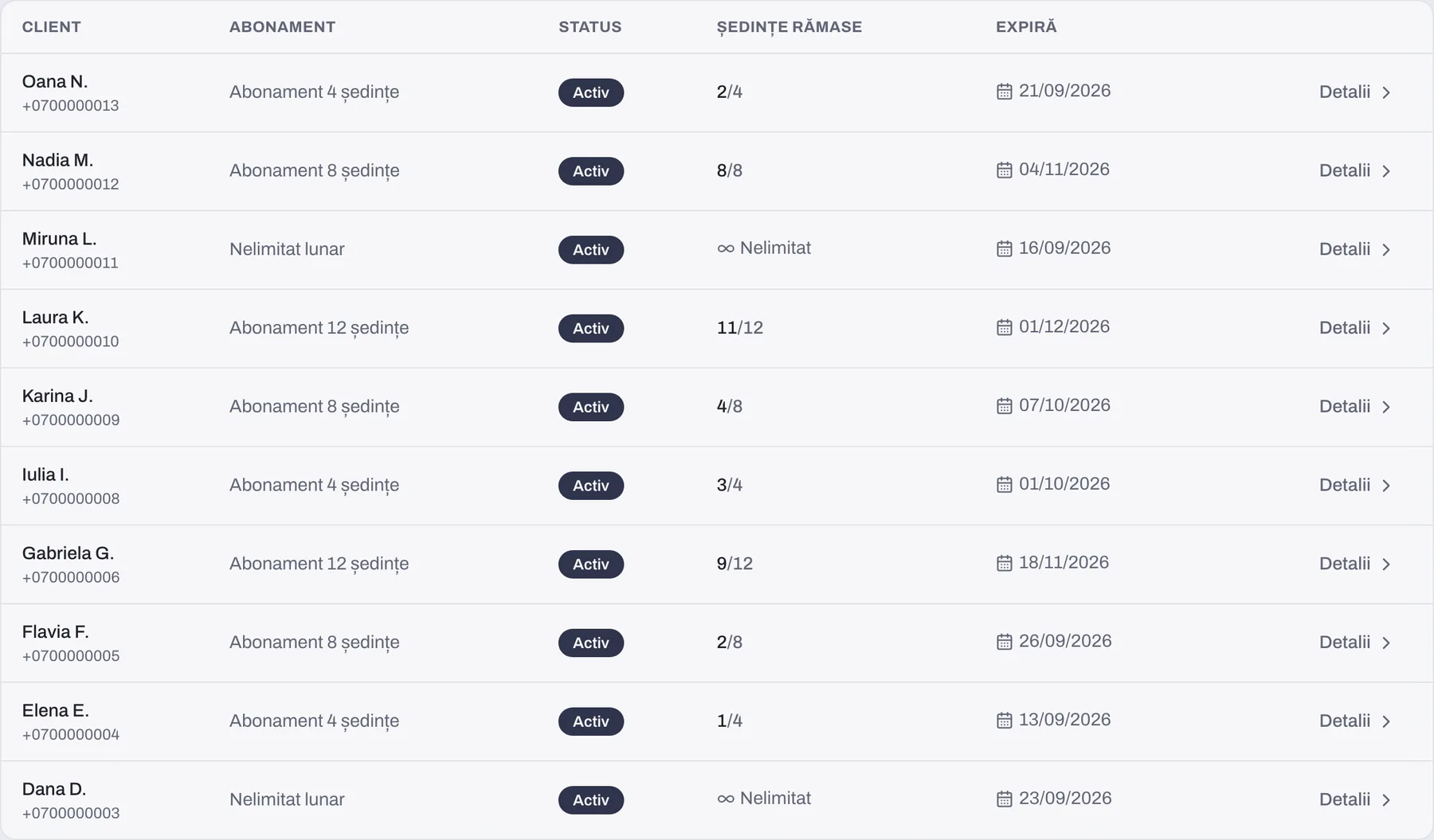
You define the membership types once — say eight sessions valid for sixty days — and from there they run themselves. A session comes off at booking or at attendance, whichever you choose, and goes back on if the booking is cancelled. Validity, pauses and renewals are tracked automatically, and clients see their own balance in the app, so nobody asks you mid-class how many they have left.
- Sessions deducted and restored automatically, no counting by hand
- Validity, pauses and renewals tracked on their own
- Clients check their own balance, any time
See your full classes, and where fewer people turn up
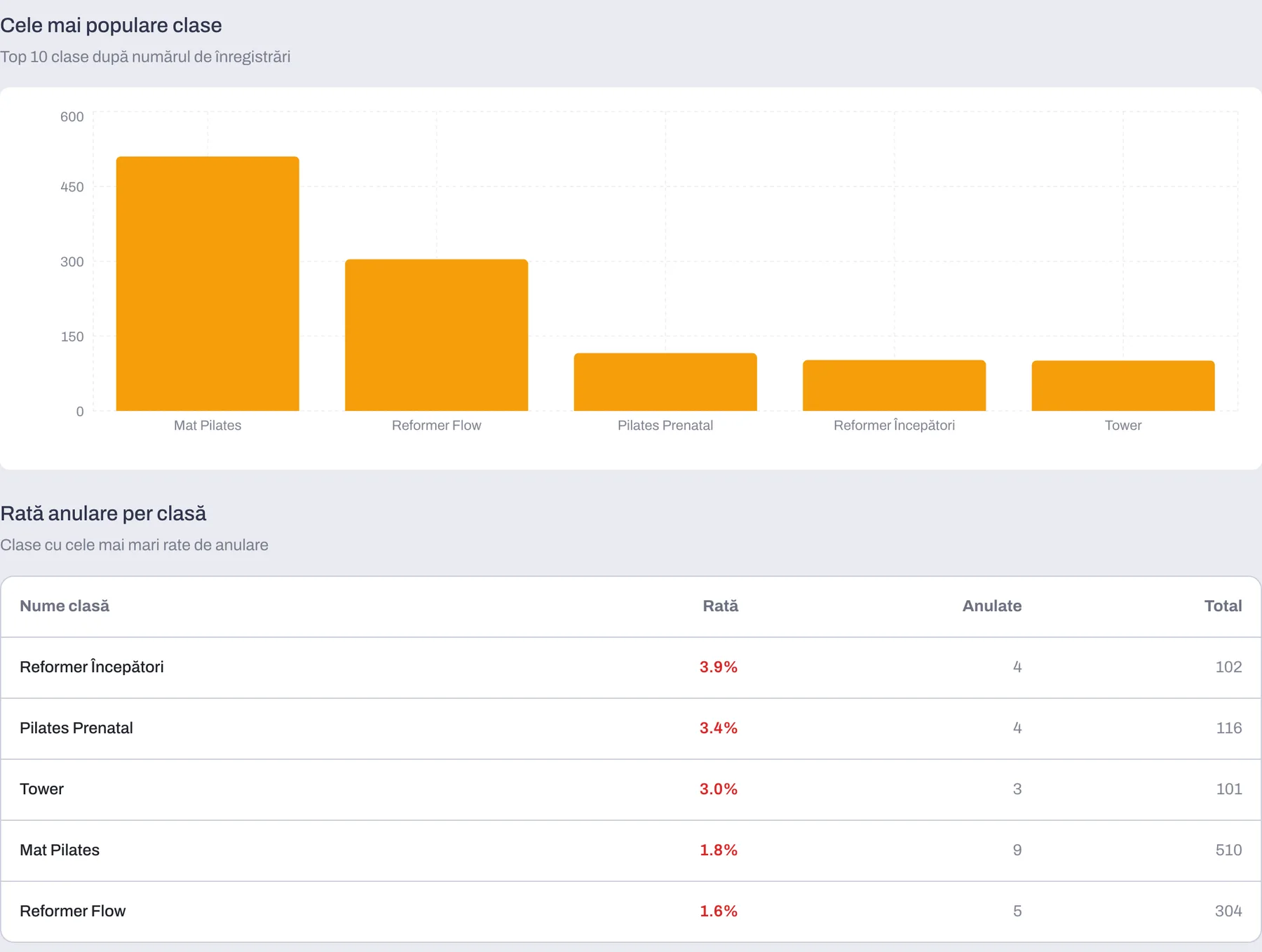
Reports break attendance, cancellations and your most-booked classes down by class type and by instructor, so you know which Reformer hour fills every time and which one runs with three people. Every instructor sees their own calendar and their own attendance without touching anyone else's timetable. Invoicing is in RON, support is in Romanian, and a cash register connects if you need one.
- Attendance, cancellations and popular classes, by class and by instructor
- A separate calendar for every instructor
- Local invoicing, local-language support, optional cash register
Your client takes her spot from the app
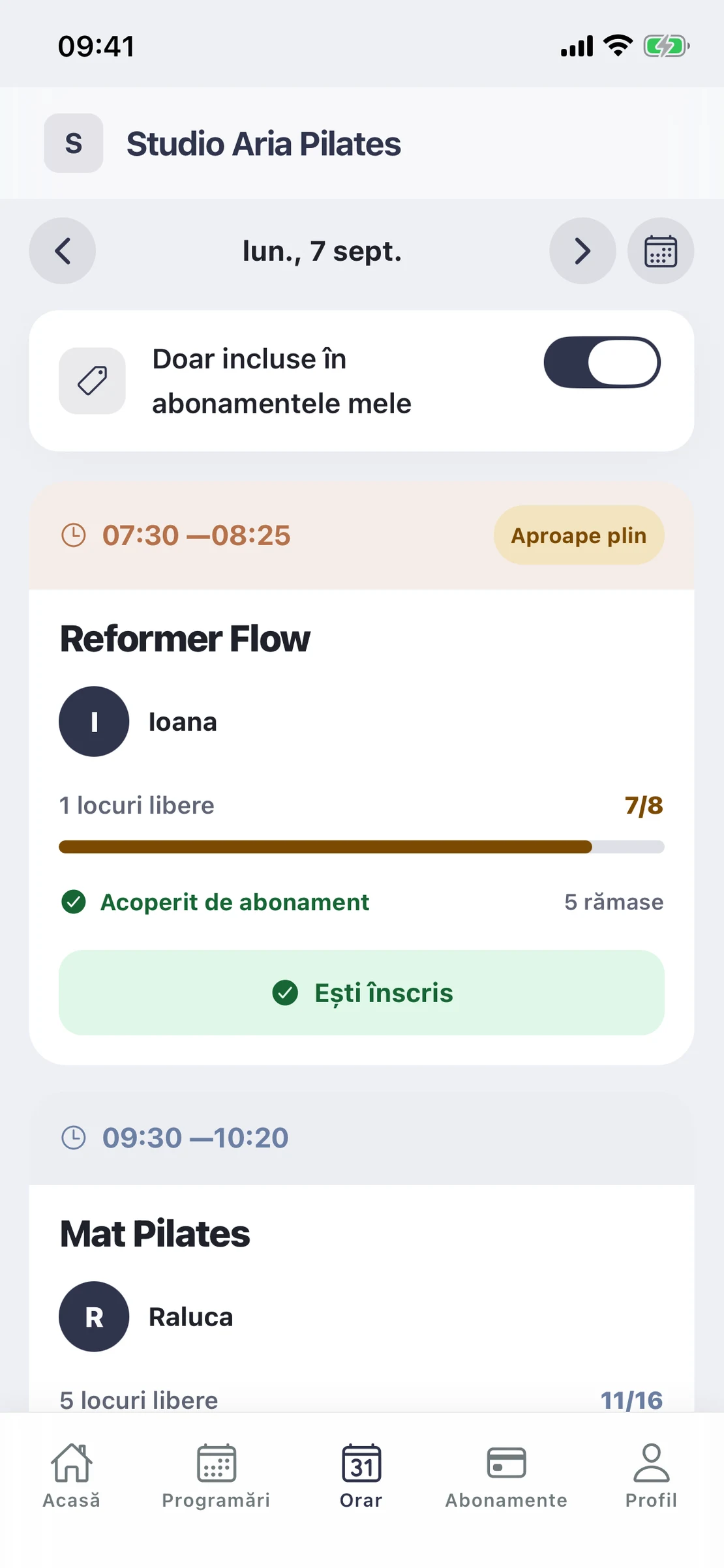
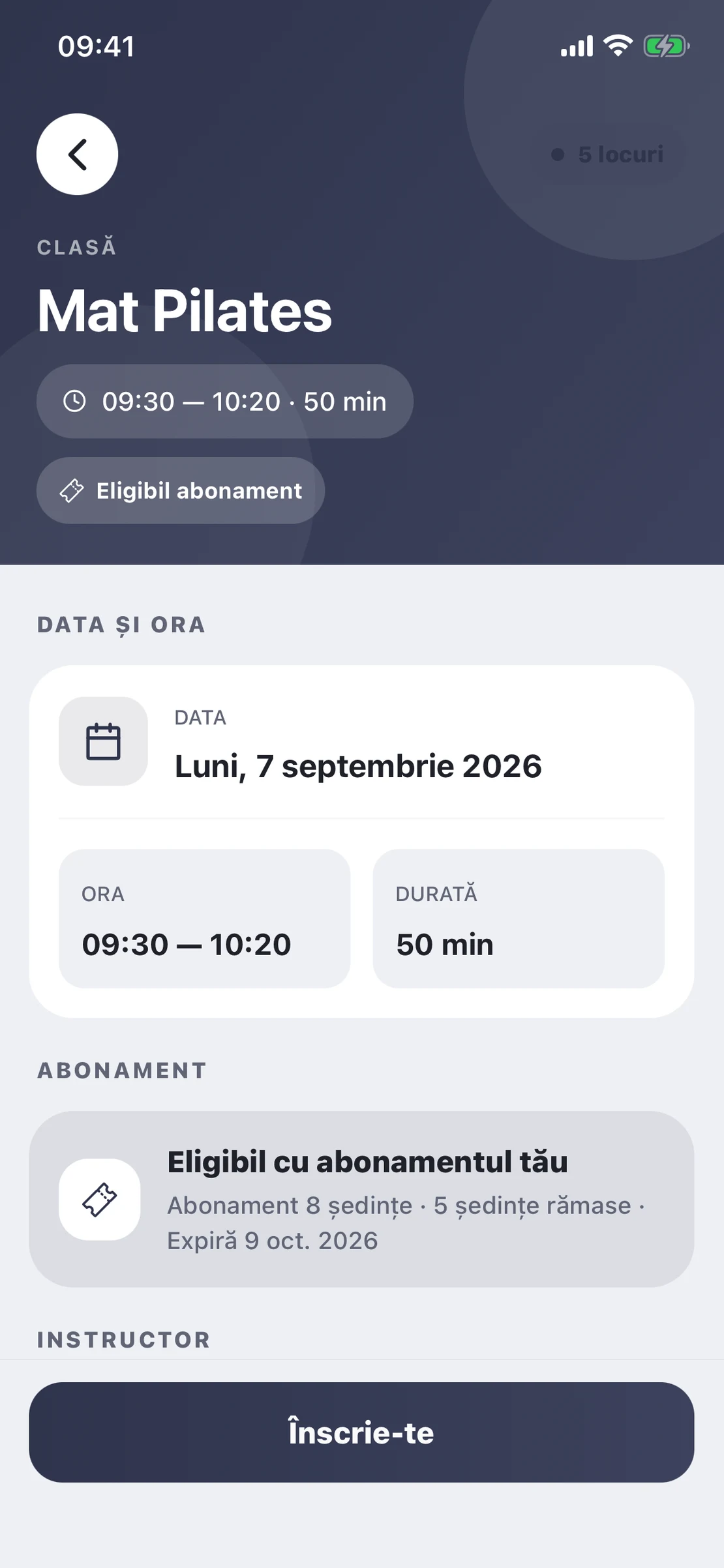
She opens the day’s timetable and sees straight away how many places are left in each class and which one is nearly full. She taps into a class and it tells her plainly whether her membership covers it — then she books with one tap. If it is full she puts herself on the waiting list, instead of messaging you.
- Places left in every class, in real time
- She sees up front whether her membership covers it
- She joins the waiting list herself when a class is full
She taps a class
TimeNow checks whether her membership covers it
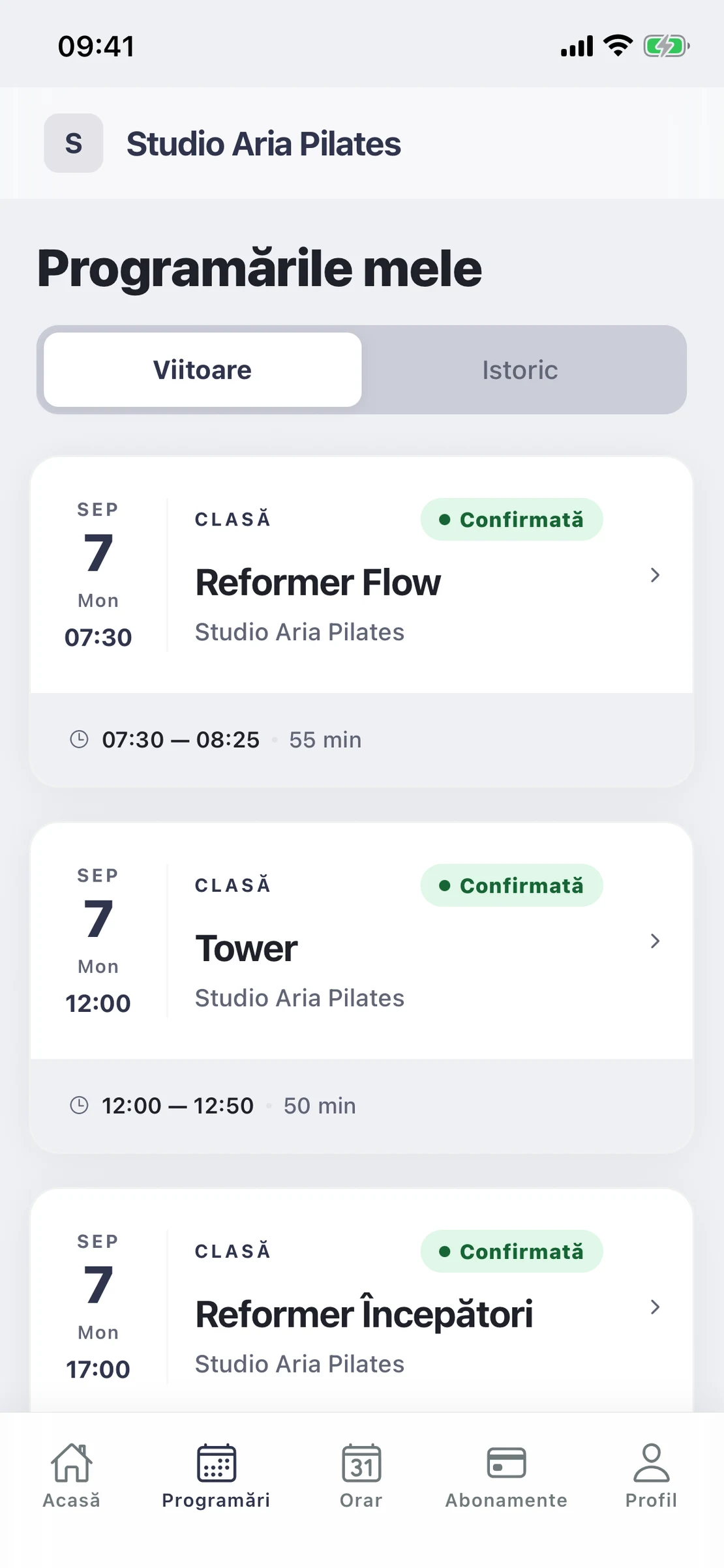
All her classes on one screen
She no longer has to remember what she booked and for when. The app holds every upcoming class with its day, time, duration and instructor, plus the history of what she has already done. Each booking is confirmed on the spot, and if she cancels from here the place moves straight to the first person waiting.
- Every upcoming booking, with the day and the time
- Confirmed on the spot, with no check-up calls
- She cancels in the app, and the place moves on
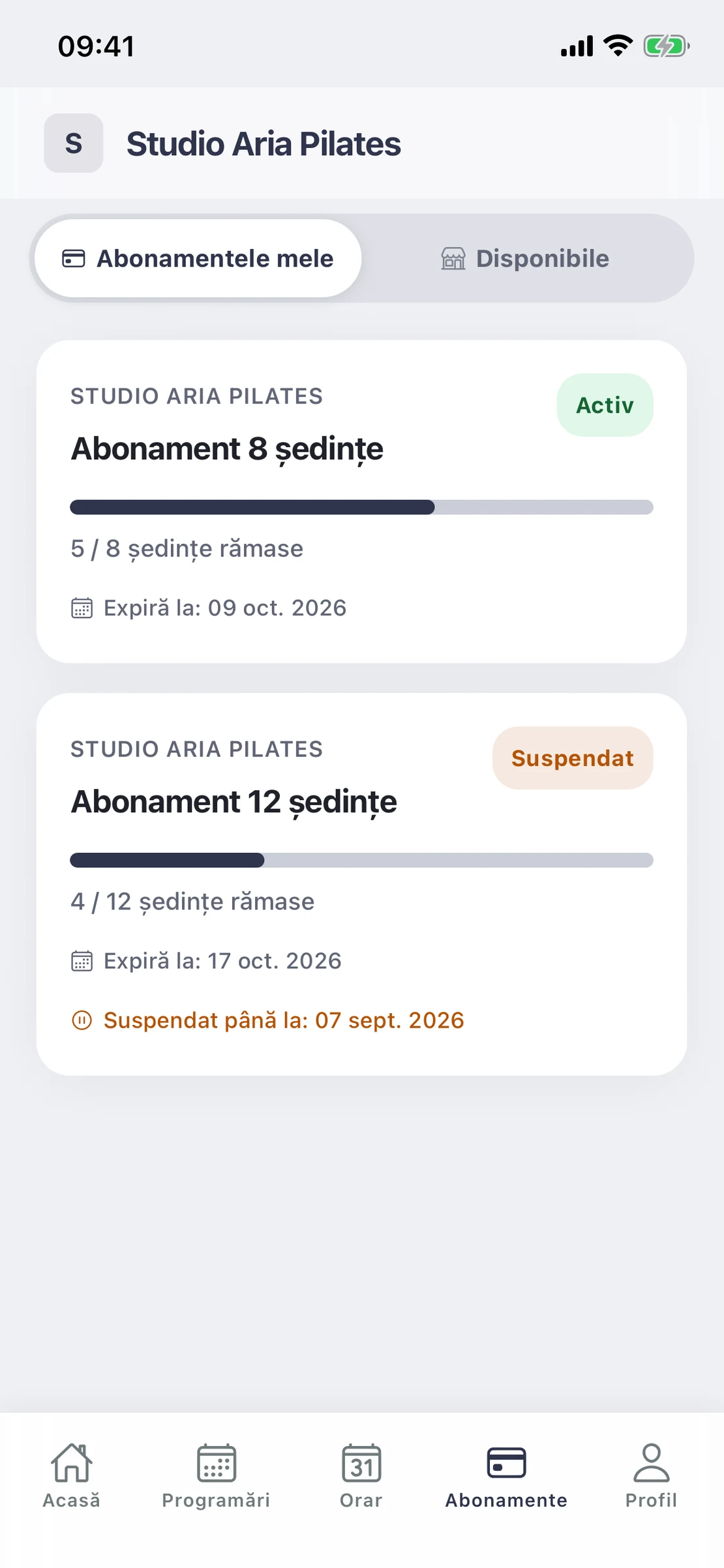
The membership lives in your client’s phone
The client who comes every week installs the app, and from there she sees for herself how many sessions are left and how long they stay valid — without asking you between two classes. If the membership is on hold, she sees the day it starts again. And if she holds two at once, each keeps its own balance, separately.
- Sessions left and the expiry date, one screen away
- Holds show the day they start again
- Several memberships at once, each with its own balance
Every moment that matters to a studio
- BookClients grab a spot in two taps
- FillThe waiting list covers cancellations
- RetainMemberships stop expiring unnoticed
- GrowSee which classes work and which do not
Where are you starting from?
Opening a new studio
We build your timetable, membership types and booking page before your first class. The first month is free, counted from the day you actually open.
Start from scratchComing from another system
We import your clients and appointment history so nothing is lost.
Move without losing anythingCommon questions
- Does it work for a studio with a single instructor?
- Yes. The one-employee plan is 99 lei a month and includes everything: classes, memberships, waiting lists and the member app. Plans differ only by the number of employees, never by what you can do.
- Can I cap spots to the number of reformers I own?
- Yes, every class has its own spot count. Once they are taken, the next clients join the waiting list automatically and get the spot if someone cancels.
- How do memberships work?
- You create membership types — say 8 sessions valid for 60 days. When a client books a class, the session is deducted on its own. They can see how many remain and until when, any time, in the app.
- Do clients have to install an app?
- No. They can book from a link, from your booking page, or from a widget embedded in your own website. The member app is there for whoever wants it, but it is required of nobody.
- How long does setup take?
- Usually between a week and a month, depending on how many classes, memberships and clients need moving. We import your client list for you, and setup is done remotely — we already run studios and salons in Bucharest, Alba Iulia, Târgu Mureș and Năvodari. The first month is free and counts from the day you actually go live, not the day you sign.
See what it looks like for your studio
In 20 minutes we will show you how it works with your classes and memberships, not with a generic demo.